The Essential Toolkit: High-Quality Gaming Web Banner Assets
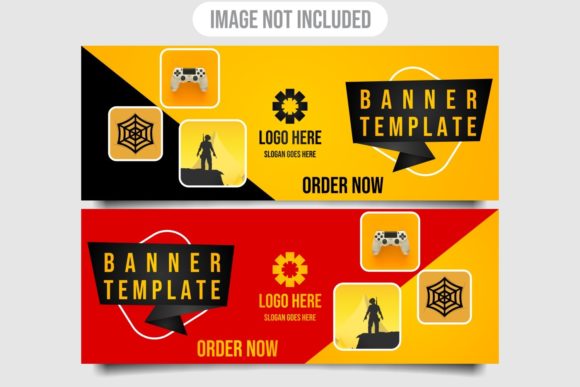
In the visually saturated arena of gaming websites, streamer channels, and promotional campaigns, standing out is a constant challenge. The initial impression, often delivered by a banner or header graphic, is critical for engagement. This is where the concept of a professional Gaming Web Banner Template Design moves from a simple graphic to a foundational design asset. When such a template package includes vector files—openable, editable, and resizable without losing quality—it transforms into a versatile toolkit for a wide spectrum of users.
Understanding the Core Components: JPG and Vector EPS
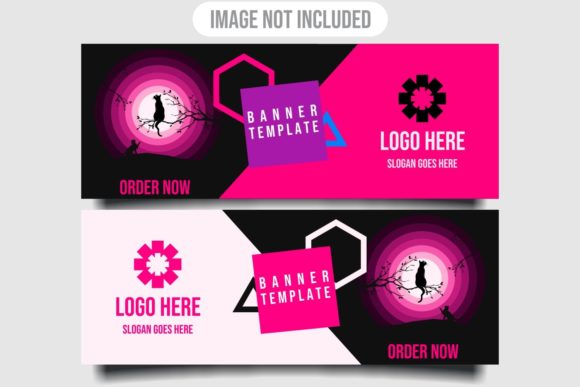
A typical download package for these design resources usually states: “You Get – Image JPG – Vector EPS.” This is not merely a list of files; it represents two distinct but complementary formats serving different needs. The JPG image is a raster file, a finished, ready-to-use graphic perfect for immediate implementation. It’s optimized for web display, compatible with all browsers and content management systems, and provides a visual reference of the final design.
The inclusion of the Vector EPS file, however, is what unlocks true creative potential. EPS (Encapsulated PostScript) is a vector format. Unlike raster images (JPG, PNG) which are made of pixels and degrade when enlarged, vector graphics are built from mathematical paths, points, and curves. This means they can be opened in vector-based programs like Adobe Illustrator, CorelDRAW, or Inkscape and resized to any dimension—from a tiny social media icon to a massive billboard-sized print—with absolutely no loss of clarity, sharpness, or quality. The editable nature of these files allows users to modify colors, change text, reposition elements, or even extract specific components like icons or logos to use in other projects.
Who Utilizes These Editable Gaming Banner Assets?
The audience for such resources is remarkably broad, reflecting the diverse ecosystem around gaming culture and online marketing.
- Professional Designers & Agencies: They use the vector files as a high-quality base or source material to accelerate client work. Instead of building from absolute zero, they can adapt a sophisticated template to match a client’s specific brand palette and messaging, saving significant time while maintaining a professional standard.
- Content Creators & Streamers: Individuals running YouTube channels, Twitch streams, or gaming blogs often possess creative vision but may lack deep design software expertise. An editable vector template allows them to personalize a polished design with their channel name, logo, and preferred colors, achieving a professional look without needing to master complex illustration techniques from scratch.
- Marketing Professionals & Business Owners: For those promoting gaming hardware, events, or online services, these templates provide ready-made assets for campaign banners, email headers, and promotional site sections. The resizable vector ensures consistency across various advertising formats.
- Educators & Workshop Leaders: In courses teaching digital design or game marketing, these files serve as excellent practical teaching tools. Students can dissect the layered vector file to understand composition, layer management, and typography placement in a real-world context.
- Hobbyists & Community Managers: Fans running community forums or fan sites can use these assets to elevate their site’s aesthetics, fostering a more engaging and cohesive environment for members.
The Real-World Advantages of Starting with Vector Templates
Choosing a design package with native vector files offers several tangible advantages over using only static images or attempting to create everything independently.
Unconstrained Scalability: This is the foremost technical benefit. A web banner might need to be repurposed for a Facebook cover image, a newsletter header, or a physical poster at an event. Pixel-based images become blurry or pixelated when scaled up; vector graphics remain perfectly crisp, ensuring brand integrity across all touchpoints.
Deep Customization Freedom: Editable vectors are like a design blueprint. Every text element is typically editable text, not painted pixels. Colors are often defined in swatches or groups that can be globally changed. Individual graphic elements—game controllers, character silhouettes, explosive effects, abstract shapes—can be moved, removed, or duplicated. This allows for infinite variation from a single source file.
Efficiency in Iteration and Adaptation: In fast-paced environments, design needs can change rapidly. A campaign might shift its slogan or a streamer might update their branding. Having the original vector file means these changes can be made in minutes within Illustrator or CorelDRAW, rather than requiring a costly and time-consuming redesign.
Learning and Skill Development: For those learning graphic design, analyzing a well-structured vector file from a professional Gaming Web Banner Template Design is invaluable. It reveals how professionals use layers, organize artwork, and employ design principles to create balanced, eye-catching compositions.
Key Considerations When Working with Vector Banner Files
While the benefits are clear, effectively using these assets requires some practical awareness.
First, access to appropriate software is necessary. The vector EPS file is not meant for photo editing software like Photoshop (though Photoshop can place EPS files, editing is limited). Its true potential is unlocked in vector-native applications. Fortunately, options range from industry standards like Adobe Illustrator to affordable or free alternatives like CorelDRAW, Affinity Designer, or the open-source Inkscape.
Second, understanding basic file management is important. A professional template download usually includes multiple files: the high-resolution JPG preview, the main EPS vector file, and sometimes additional versions or font files. Organizing these assets properly ensures they remain usable for future projects.
Finally, while templates provide a superb starting point, the final output’s effectiveness still depends on thoughtful customization. Simply changing text without considering color harmony, layout balance, or audience appeal might undermine the template’s inherent quality. The template is a tool, and its success relies on the user’s applied creativity and strategic thinking.
Observations on Design Trends in Gaming Web Banners
Analyzing available templates reveals evolving trends in gaming visual communication. Current designs often leverage:
- Dynamic, Action-Oriented Layouts: Elements appear to be in motion, with shapes slicing through the composition or effects implying energy and speed.
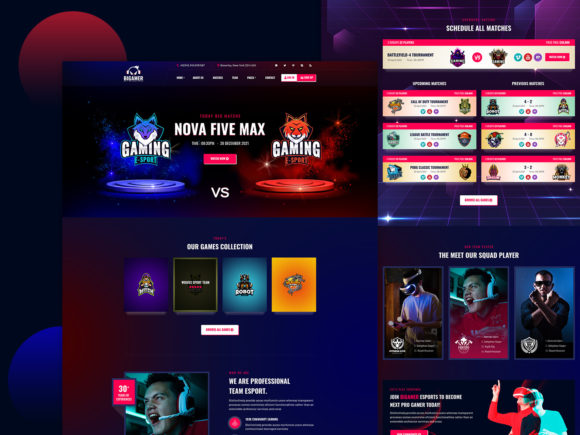
- Dark Themes with Vibrant Accents: Deep blues, blacks, and grays provide a dramatic backdrop, punctuated by neon greens, electric blues, or fiery oranges to draw attention to key text or logos.
- Integration of Abstract Tech Elements: Geometric grids, circuit board patterns, or low-polygon shapes blend with more traditional gaming icons to create a modern, digital aesthetic.
- Typography that Communicates Tone: Fonts are chosen not just for readability but for feel—blocky, industrial fonts for competitive esports; sleek, futuristic fonts for sci-fi games; playful, rounded fonts for casual or indie game communities.
These trends are captured and codified in high-quality template designs, giving users not just a graphic, but a contemporary design language that they can adapt and personalize.
The Workflow: From Download to Deployment
A typical workflow for using such a package illustrates its practical relevance. A user downloads the files. They open the JPG first to confirm the design matches their vision. Then, they launch Adobe Illustrator and open the EPS file. The software reveals the design broken into logical layers: Background, Main Graphics, Text Layer 1, Text Layer 2, Effects. They modify the text layers to insert their own website name or headline. They adjust the color palette by selecting a group of objects and changing the fill property. They might resize a graphic element or add a small additional icon from their own library.
Once satisfied, they can export the final design from the vector program into any required format for deployment: a web-optimized PNG for their site header, a PDF for a print flyer, or a new JPG for an email campaign. The original vector EPS remains preserved as a master file, ready for the next round of adaptations. This workflow balances efficiency with creative control, making professional-grade design accessible.
In essence, a gaming web banner template that includes editable, resizable vector files is more than a download; it’s a design investment. It provides a scalable, modifiable foundation that empowers professionals to work faster, enables creators to achieve higher quality, and assists learners in understanding professional design practice. It acknowledges that in the dynamic world of gaming, visual communication needs to be flexible, adaptable, and consistently sharp—qualities inherent to the vector graphic format. By offering both the immediate-use JPG and the foundational Vector EPS, these resources meet the user at their point of need and equip them with the tools to evolve their digital presence effectively.