How Gaming Illustration Elevates Your Creative Projects
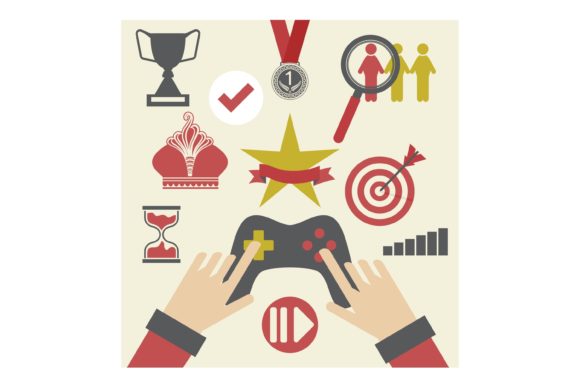
Gaming illustration captures the vibrant, dynamic spirit of video game worlds. It’s artwork that draws directly from characters, environments, icons, and themes found in digital games, translating them into standalone visual pieces. Think of a heroic warrior from a fantasy RPG, a sleek spaceship from a sci-fi adventure, or a charming creature from a mobile puzzle game. This art isn’t just for screens; it’s a powerful asset for a vast array of creative and commercial applications, especially when you have the right digital file to work with.
The Core Value of Gaming-Related Art
At its heart, gaming illustration solves a specific creative problem: it provides high-quality, themed artwork that resonates with a massive, passionate audience. For creators and entrepreneurs, this means you don’t need to be a master illustrator to access compelling designs. The value lies in its immediate recognizability and emotional connection. A well-crafted gaming illustration can evoke nostalgia, excitement, or community pride, making it incredibly effective for personal projects or products aimed at fellow enthusiasts.
Its appeal is multifaceted. For beginners, it offers a ready-made artistic foundation. For professionals, it provides licensable content to incorporate into larger designs. For small business owners, it taps into a pre-existing market with clear interests. The characteristic style often features bold lines, rich colors, and a sense of action or story, making it visually striking across different mediums.
Practical Uses Beyond the Screen
Where does this art go once you have it? The possibilities are wonderfully broad. The key is a versatile digital format. An EPS file, for example, is a vector format that maintains perfect quality at any size. This means your gaming illustration can be scaled up for a large wood sign or scaled down for a detailed mug print without losing sharpness or clarity. Software like Adobe Illustrator CC, Inkscape, or Corel Draw can open and edit these files, giving you control to adapt colors or elements if needed.
Consider a simple use case: you’re a hobbyist who loves a particular game series. With a gaming illustration EPS file, you can easily create a custom t-shirt for yourself or as a gift for a friend, using a print-on-demand service or local printer. Another example: a blogger writing about game culture could use the artwork to create unique featured images for their articles or branded merchandise for their audience.
For a more commercial application, a small business owner running an online store for handmade goods could apply the illustration to a line of products. This could include:
- Decor items like engraved wood signs or acrylic party decor for game-themed events.
- Daily use items such as printed mugs, tumblers, or phone cases.
- Paper goods like invitation cards, stickers, or posters.
The artwork becomes the centerpiece, and the EPS format ensures it looks professional on every material.
Important Considerations Before You Begin
While gaming illustration files offer tremendous opportunity, a few practical points are worth noting. First, always ensure you understand the license or terms of use for the artwork. Some files are for personal use only, while others may allow limited commercial production. Respecting these terms is crucial.
Second, think about your end medium. An EPS file is ideal for printing and cutting machines because it’s vector-based, but you might need to convert it to a different format (like PNG) for certain web-based design tools. Most professional-grade software supports EPS, so if you’re using programs like Adobe Suite or Corel Draw, you’ll be ready to go.
Finally, consider your own skills. If you’re a beginner, you might simply use the file as-is, sending it directly to a manufacturer. If you have more experience, you can use the EPS in your software to combine it with text, add backgrounds, or create multi-element designs. The file is a starting point that can be as simple or complex as your project requires.
Integrating Art into Your Creative Process
Imagine you’re an educator creating learning materials about digital art or storytelling. A gaming illustration can serve as a perfect, engaging example to discuss character design or color theory. For a marketer in the entertainment space, such artwork could be the basis for social media campaign assets or promotional giveaway items. The context shifts, but the core asset—the high-quality, scalable illustration—remains consistently useful.
Freelancers, such as graphic designers, can also leverage these files to speed up client work. A client wanting a gaming-themed logo or banner might appreciate a design that incorporates familiar, beloved visual elements. Having access to a well-made EPS file provides a professional component that can be integrated and customized efficiently.
The beauty of working with a dedicated gaming illustration is that it carries its own narrative. It doesn’t require extra explanation; the theme is built-in. This saves you time and energy, allowing you to focus on the application: the shirt, the sign, the blog post, or the product line.
Your Next Steps with Gaming Art Assets
Getting started is straightforward. When you acquire a file, like the described 1 EPS file, you receive a single, versatile resource. This isn’t a collection of low-resolution images; it’s a single, powerful vector file compatible with major design programs. Your first step should be to open it in your software of choice—be it Adobe Illustrator CC for professionals or the free, open-source Inkscape for beginners—to inspect the design and understand its layers and elements.
Then, define your project. Are you making something for yourself, for a small business, or for a specific event? Match the artwork to the audience. A dramatic battle scene might perfect for a poster, while a cute character illustration might be better for a child’s birthday party decor. The same file serves both needs because of its scalability and quality.
Remember, the goal is to enhance your creative work, not complicate it. Gaming illustration, delivered in a format like EPS, removes the technical barrier of creating artwork from scratch. It lets you channel your energy into the crafting, the branding, or the personalization. Whether you’re a casual user making a gift or an entrepreneur building a product line, this approach offers a practical bridge between a beloved digital culture and tangible, real-world creations.
As you explore this space, you’ll find that the community around gaming art is vast and supportive. Many creators share tips on applying vector files to different materials, from heat-transfer vinyl for shirts to laser engraving for wood. Start with a clear idea, a compatible file, and software you’re comfortable with, and you’ll unlock a new dimension for your projects.